CheatMD
0x0
Hello hackers on the web, I haven’t written any writeups in a while. Today I’ll introduce CheatMD, a tool created by Gubarz at BotnetBuddies. It turns readable Markdown notes into interactive commands that I can search for and run from the terminal. The useful part is that the target-specific values can be entered when the command is selected, instead of keeping a slightly different copy for every box. I’ll show how it works, then explain why this can save a lot of time while working on HackTheBox machines.
what is cheatmd?
CheatMD is a terminal tool for turning Markdown notes into interactive cheatsheets. A heading followed by a code block becomes a command that can be searched for and run.
The command does not have to be written for one fixed target. Variables can be added to it, and CheatMD asks for their values before running the command. A value can be entered manually, pre-filled from the environment, or selected from the output of another shell command.
For example, a simple CheatMD entry looks like this:
1
2
3
4
5
6
7
8
## Docker: exec into container

```sh title:"Execute shell in container"
docker exec -it $container /bin/sh
```
<!-- cheat
var container = docker ps --format "{{.Names}}" --- --header "Select container"
-->
When I select this entry, CheatMD runs docker ps, shows the containers in a picker, and inserts the selected one into the command. The Markdown stays readable, but the command is now usable instead of something I have to copy and edit by hand.
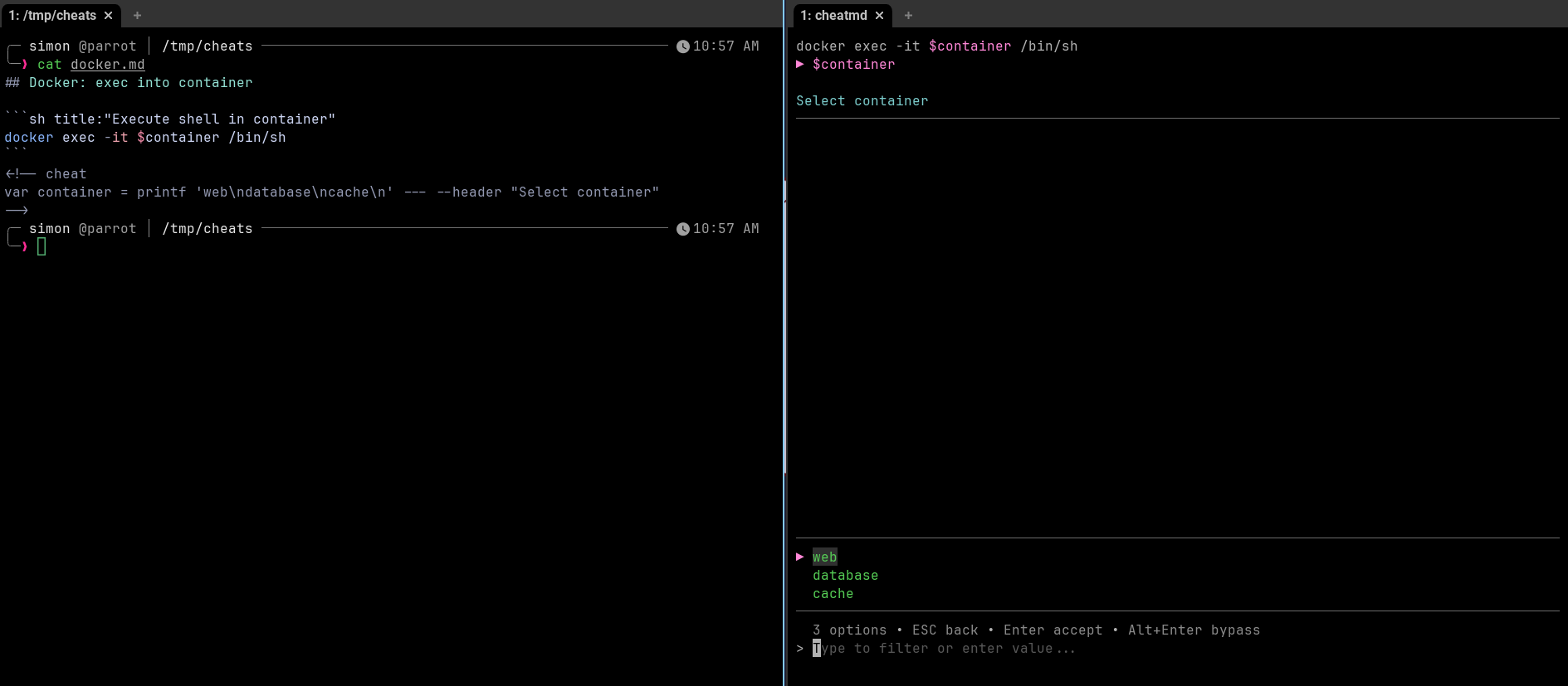
You can check out the Writing Cheats section to learn how to write notes that CheatMD can parse.
who is it for?
CheatMD is for anyone who keeps command-line notes and reuses them with different values. That could be a developer, sysadmin, or pentester. It saves time when the command stays the same, but the target, user, or path changes.
usage on htb
For the past 3–4 years, I have been working on HackTheBox machines. Keeping track of every tool and command was not easy, so I started writing writeups and taking notes, but the problem remained: quickly formatting a command with new parameters.
AD machines were the most problematic. It is impossible to remember every single tool and its arguments. Before LLM slop, HTB Seasonal boxes were a race to blood, and missing even a second could make a significant difference.
Imagine being close to a blood solve on an Insane AD machine, only to need to change a user’s password and dump NTDS.dit. The command has slipped your mind, but you remember saving it in the notes for a particular box. By the time you find it, valuable time has already been wasted. Now, you have to change the arguments and still do not know whether the commands will work.
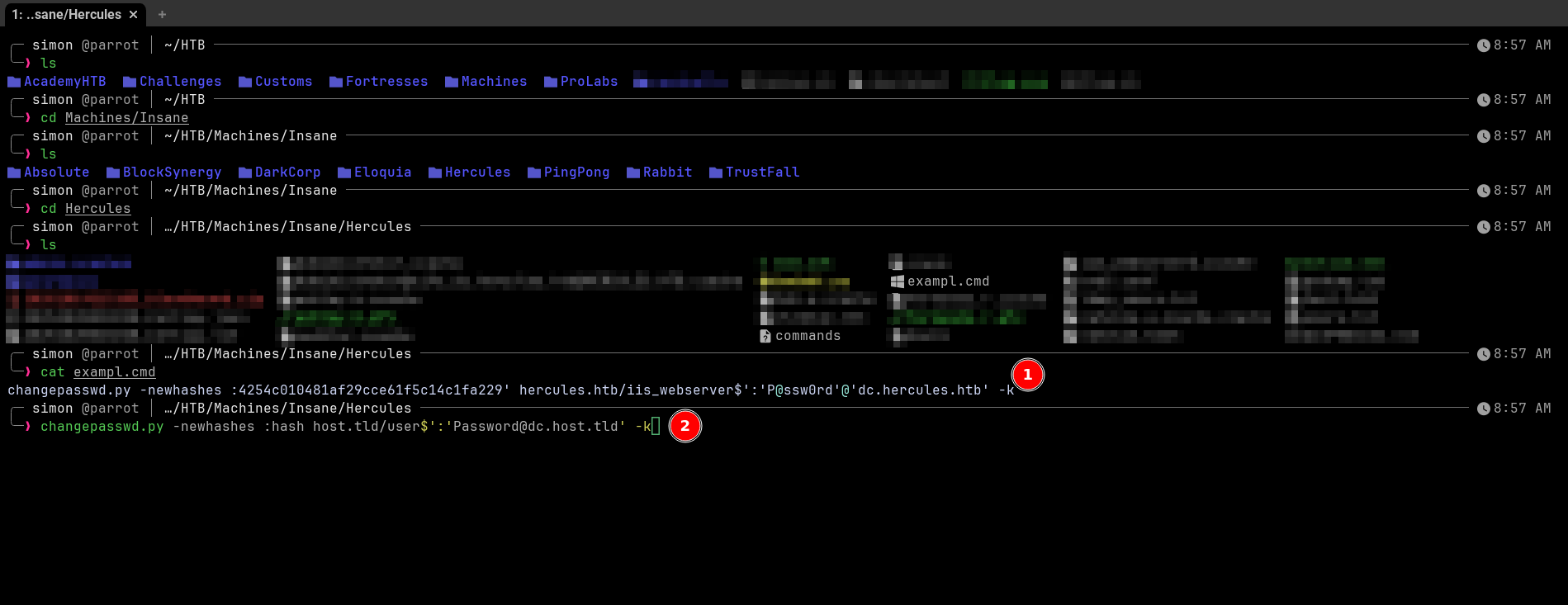
I wasted time there. I had to find the command, modify it with the new credentials, check the arguments again, and then run it. This is exactly the boring part that CheatMD can remove.
For HackTheBox, other labs, or even real-life pentests, I can start with cheats already written by the amazing BotnetBuddies team:
1
git clone https://github.com/botnetbuddies/cheats ~/cheats
After cloning them, I can search through the collection. The commands do not change that often, but the target, user, password, domain, and file paths do. Instead of keeping another slightly modified copy of the same command, I can keep one Markdown entry and provide the values at runtime.
For HTB, target IPs, domains, usernames, passwords, share names, and file paths can all be variables. A shell command can also generate a picker for values that already exist on the machine. This is what the interactive side looks like in practice:
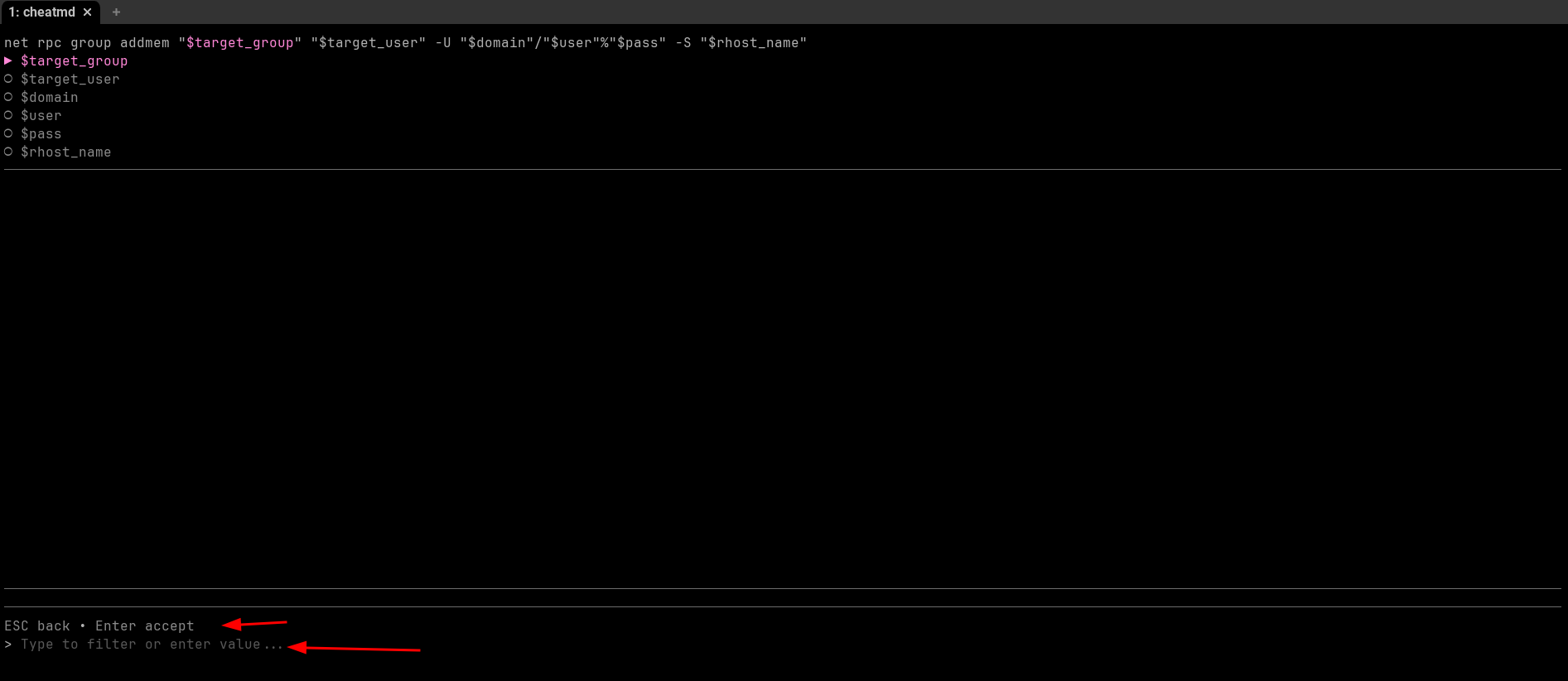
I can search for the command, select it, fill in the new credentials, and send the finished command straight back to my terminal:

It also supports shell output for files, containers, branches, or other values already available on the machine. Running cheatmd --lint catches undeclared variables, broken imports, and other mistakes before the commands are used.
That is the part that stood out to me. I already had the commands written down. CheatMD makes those notes interactive, which means less time formatting commands and more time actually working on the box.
Credits
Gubarz, Treww, golam71, Khada4, and echo8134.
Thanks for reading!